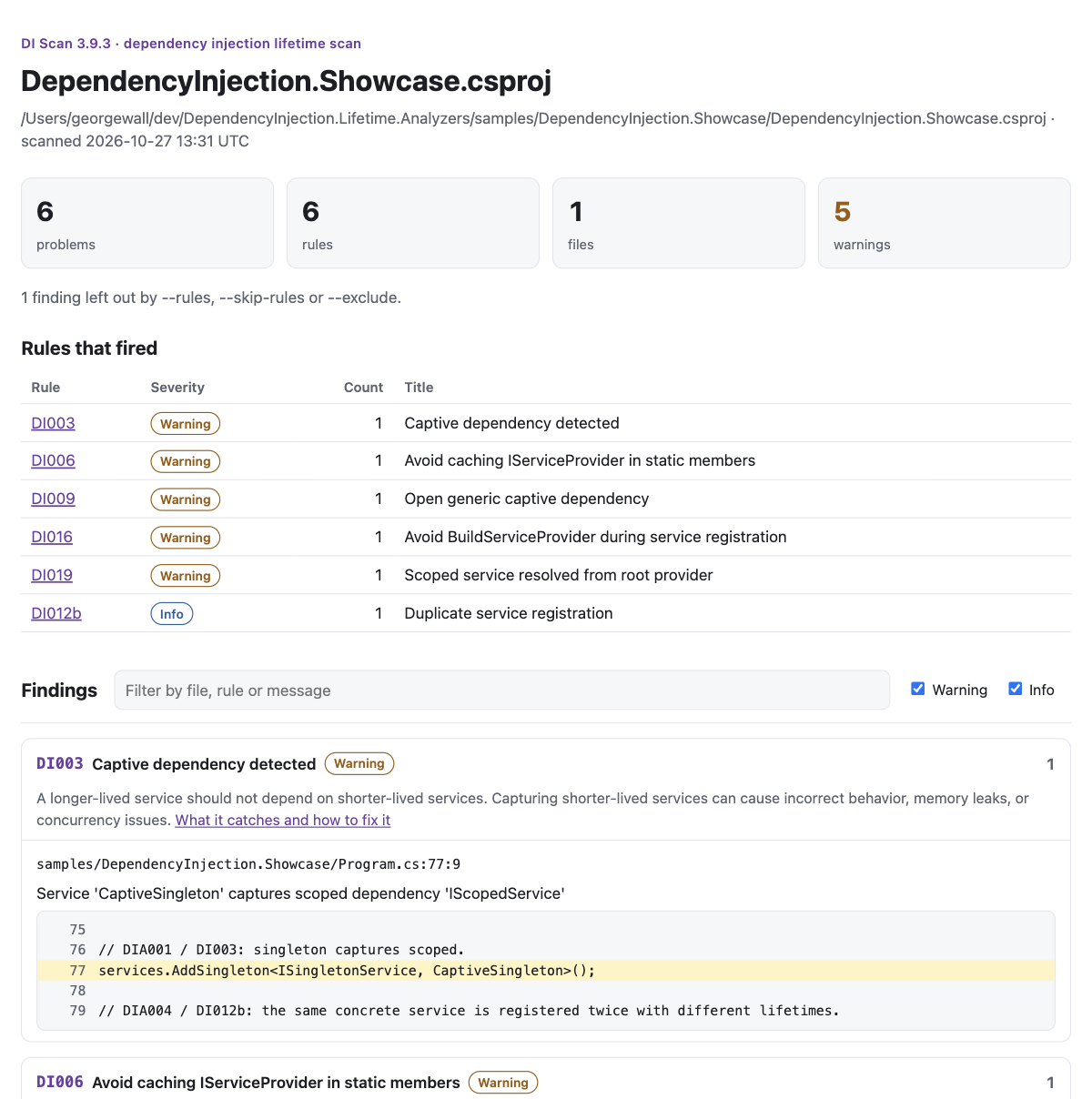
Build any solution with DependencyInjection.Lifetime.Analyzers injected, without editing its project files. Get ruleId path:line:column, the surrounding source, SARIF, Markdown, and HTML reports, baselines, and CI-friendly severity gates.
The scanner builds the target with the analyzer injected, then removes the injection. Your repository is not modified.
What it reports
Actionable findings, not a wall of warnings
Rule ID, severity, title, and count for every rule that fired.
path:line:column, the diagnostic message, and the surrounding source.
A direct link to the rule page under docs/rules/.
SARIF 2.1.0 for GitHub code scanning or any SARIF viewer.
Self-contained HTML and Markdown for triage and pull-request comments.
Suppressed diagnostics are omitted, just like a normal build.
Outputs
Choose the surface for the job
Output
Use it for
Terminal
Immediate review of the rules, locations, messages, and source lines.
SARIF
GitHub code scanning, IDE ingestion, and fingerprint-based baselines.
Markdown
Pull-request comments, job summaries, and release reports.
HTML
False-positive triage with search, severity filters, and code context.
Baselines
Fail only on new findings
Generate a baseline once, commit it, and let CI fail only when a new finding appears. SARIF baselines match by fingerprint, so a finding that moves down a file stays known. Text baselines match by rule and exact location. Use --update-baseline di.baseline to write one.
Apply the safe code fixes with --fix before reviewing the rest. Use the scanner before adding the package, compare two analyzer releases, or keep a scheduled precision check on a pinned public corpus. In GitHub Actions it also writes the job summary and annotates the most severe findings.
The scanner and rules are regression-tested against 14 pinned public repositories and 471 findings, including ASP.NET Core apps, framework libraries, workers, open generics, keyed services, and alternate containers. The corpus has already driven precision fixes in DI001, DI006, DI015, and DI019.
The scanner is a try-before-you-install tool. When the results are clean enough for your policy, add the analyzer package so the same rules run in the editor and every build.